
Guide
Projectivy Launcher Movie Night: Set the TV So Guests Find Films Fast
Prepare Projectivy Launcher for movie night: a films row on top, a boot target, an input shortcut, and a dim wallpaper for the evening.

On this page
Guests should find a film without a tour of your home screen. Start from Projectivy Launcher Android TV and set one films row, one input shortcut, and a dim wallpaper before they arrive.
One films row on top
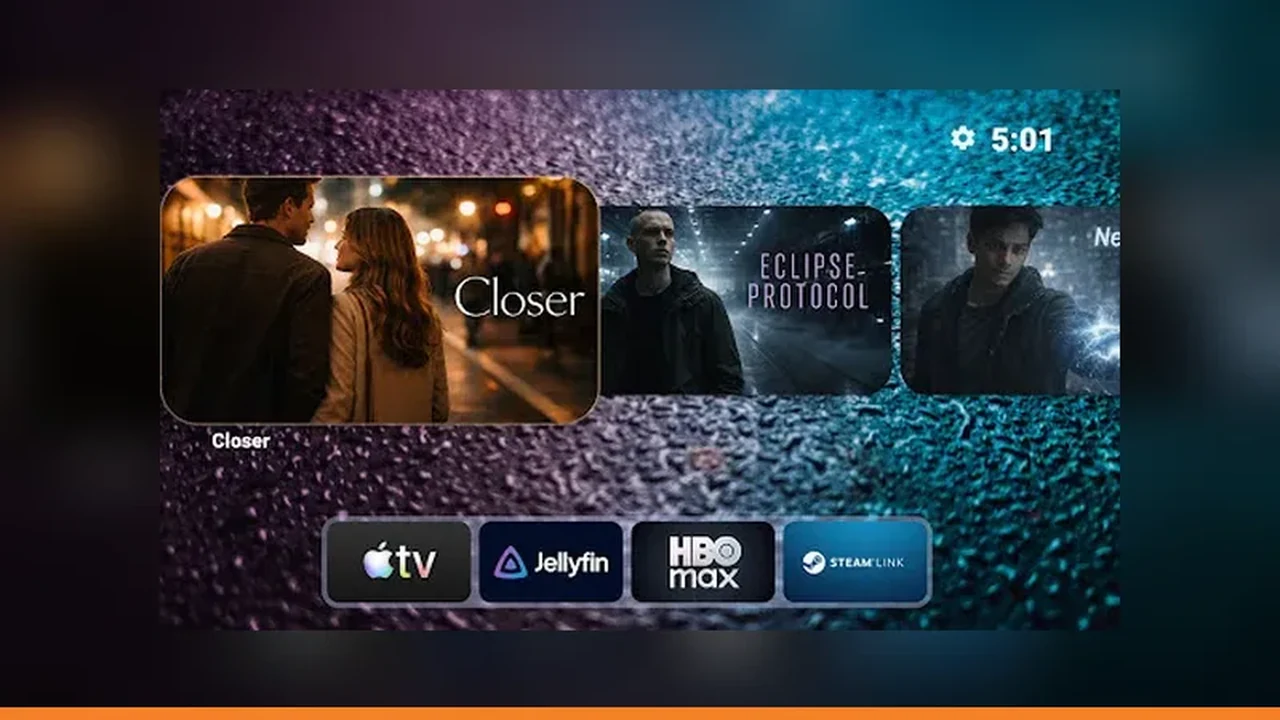
Movie night starts with one films row on top. Not three film apps in three rows, not a films category buried below tools: one row, films first, everything else below it. Guests should find a film without a tour of the home screen, and the host should not spend the first ten minutes driving the remote.
Boot to the films row
Set the TV to open the films row or the most used film input when it turns on. A guest facing a ready screen relaxes. A guest facing a settings menu waits. If the household watches one source most movie nights, make that source the boot target for the evening, and change it back afterwards if habits differ. See also the categories and channels guide for the step by step version.
Input shortcut to the player
Add an input shortcut tile for the player or console the films come from, and label it with the device name guests know. Test it before anyone arrives, from the remote, from the home screen. A movie night is the worst time to discover a shortcut points at an empty input. Pair this with the Projectivy Launcher setup guide when you rebuild the rows. Get it from the Projectivy Launcher download page if you have not installed it yet.
Dim the wallpaper for evening
Dim the wallpaper for the evening. A bright wallpaper competes with the film before it starts and tires eyes in a dark room. Lower brightness, keep contrast so labels still read, and back up the layout once the movie night setup works, so next time it is already done.
Quick Answers
What should guests see first on movie night?
One films row on top, with the player reachable in one press. Guests should not need a tour of the home screen.
Should I change the wallpaper for movie night?
Dim it. A bright wallpaper competes with the film in a dark room, while a dim one keeps labels readable.