
Guide
Customize Your Projectivy Launcher Home Screen: Wallpaper, Icons, and Rows
Make Projectivy Launcher yours: pick a wallpaper that fits the room, use a consistent icon style, and order rows for remote-first navigation.

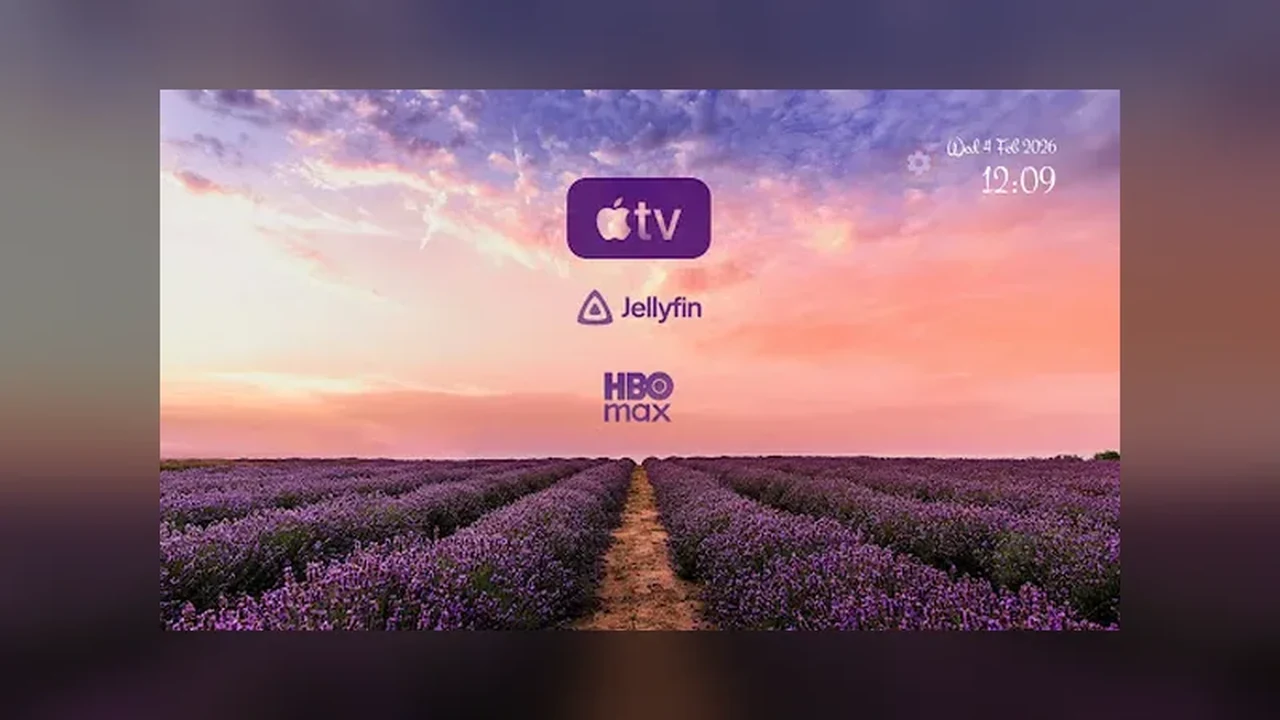
On this page
A good TV home screen is read from across the room, not studied up close. That single fact drives every choice in this guide, starting from Projectivy Launcher for Android TV and ending with a screen your household can use without thinking.
Pick a wallpaper for the room
Choose a wallpaper for the light in your room, not for the image alone. A dark, low brightness wallpaper suits a dim living room, while a brighter image works in a sunlit room. If text is hard to read, raise contrast before changing anything else, then adjust saturation until colours sit calmly behind the app rows.
Animated or still
Animated backgrounds and video wallpapers look impressive, and they cost performance on older hardware. On a newer TV, try one and watch for stutter when moving between rows. On an older TV, a still image is the faster, calmer choice, and nobody in the room will miss the motion after the first week.
Icons and names
Use one consistent icon style across the home screen, and rename apps to the names your household actually says. A child looking for cartoons should not have to decode a brand name. Keep icon labels short, because long names wrap or truncate at TV viewing distance.
Order rows for the remote
Put the row you open first at the top and keep the total number of rows low. The remote moves one step at a time, so a row buried fifth down is a row nobody opens. For the full first-time flow, read our Projectivy Launcher setup guide, and for input shortcuts see our remote shortcuts guide.
Quick Answers
Will an animated wallpaper slow my TV?
It can on older hardware. If row navigation stutters, switch to a still wallpaper and the problem usually clears up.
Why do my app names look cut off?
Long labels truncate at TV distance. Rename the app to a shorter household name in the launcher settings.